
En Vivo
✨ NUEVO · v8.0
¡Ya está aquí la nueva app de Canal Meteo! Rediseñada, más rápida y con el tiempo y las alertas siempre en tu idioma. Descárgala gratis en App Store y Google Play.

Cómo ver Canal Meteo

El primer canal del tiempo 24/7 en español para estar siempre informado en tu idioma.

🌐 Visita nuestra página principal

Radar en vivo, alertas meteorológicas, terremotos, astronomía y mucho más en tiempo real.

Ir a www.canalmeteo.tv
tvOS · Apple TV

Instalación en Apple TV (tvOS)

  1. Usando el mando del Apple TV, abre App Store.
  2. Toca el ícono de la lupa.
  3. Busca "Canal Meteo".
  4. Selecciona OBTENER.
  5. Una vez descargada, pulsa Abrir.
  6. ¡Empieza a disfrutar!
Android TV

Instalación en Android TV

  1. Selecciona Aplicaciones.
  2. Abre Google Play Store.
  3. Toca el ícono de la lupa.
  4. Escribe "Canal Meteo".
  5. Selecciona "Canal Meteo".
  6. Haz clic en Instalar.
  7. Pulsa Abrir y comienza a ver.
Streaming

Disfruta Canal Meteo TV en vivo y contenidos a la carta.

Streaming en YouTube

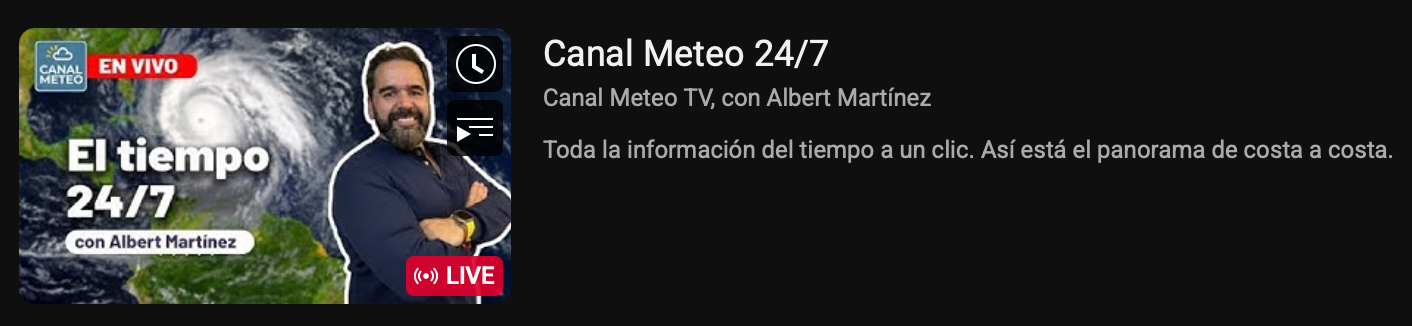
YouTube (Canal en vivo & clips)

Suscríbete y mira el canal en youtube.com/@canalmeteotv.

Turbulencias Atmosféricas Podcast

Podcast: Turbulencias Atmosféricas

Escúchalo en YouTube o Buzzsprout.

Nuestra app ya disponible

Instalación en ROKU

  1. Enciende tu Roku y ve a la pantalla de Inicio.
  2. Ve a la sección de Buscar.
  3. Escribe "Canal Meteo".
  4. Selecciona la app y haz clic en Añadir canal.
  5. Una vez instalada, ábrela desde tu lista de canales.
  6. ¡Comienza a disfrutar Canal Meteo!

Nuestra app ya disponible

Instalación en Amazon Fire TV / Firestick

  1. Enciende tu Fire TV Stick y ve a la pantalla de inicio.
  2. Selecciona Buscar (la lupa, arriba a la izquierda).
  3. Escribe "Canal Meteo".
  4. Selecciona la app en los resultados.
  5. Pulsa Descargar (u Obtener).
  6. Cuando termine, pulsa Abrir y ¡a disfrutar!
✨ NEW · v8.0
The all-new Canal Meteo app is here! Redesigned, faster and with weather and alerts always in your language. Download it free on the App Store and Google Play.

How to watch Canal Meteo

The first 24/7 Spanish-language weather channel to keep you informed.

🌐 Visit our main website

Live radar, weather alerts, earthquakes, astronomy and much more in real time.

Go to www.canalmeteo.tv
tvOS · Apple TV

Install on Apple TV (tvOS)

  1. Using your Apple TV remote, open the App Store.
  2. Select the Search icon.
  3. Type "Canal Meteo".
  4. Select GET.
  5. Once installed, press Open.
  6. Enjoy the live channel!
Android TV

Install on Android TV

  1. Go to Apps on your Android TV.
  2. Open the Google Play Store.
  3. Select the Search icon.
  4. Type "Canal Meteo".
  5. Select the "Canal Meteo" app.
  6. Click Install.
  7. Press Open and start watching.
Streaming

Watch Canal Meteo TV live and access on-demand content.

YouTube streaming

YouTube (Live channel & clips)

Subscribe and watch at youtube.com/@canalmeteotv.

Turbulencias Atmosféricas Podcast

Podcast: Turbulencias Atmosféricas

Listen on YouTube or Buzzsprout.

Our app is now available

Install on ROKU

  1. Turn on your Roku and go to the Home screen.
  2. Go to the Search section.
  3. Type "Canal Meteo".
  4. Select the app and click Add channel.
  5. Once installed, open it from your channels list.
  6. Start enjoying Canal Meteo!

Our app is now available

Install on Amazon Fire TV / Firestick

  1. Turn on your Fire TV Stick and go to the home screen.
  2. Select Search (the magnifier, top left).
  3. Type "Canal Meteo".
  4. Select the app from the results.
  5. Press Download (or Get).
  6. When it finishes, press Open and enjoy!